AI video editor for professional projects
Producing video is easy, but editing it can be a long and time-consuming process. AI video editing tools can help slash the amount of time you spend on manual tasks, like cutting footage and adding music. Lifelike AI avatars can narrate videos or act out scenes, and the realism of these digital presenters is constantly improving. Other features include a transcript, voice-to-text, and automatic silence removal.
Using an AI video editor to create your own videos is easy and fun, and it can save you a lot of time as well. With advanced features such as automatic color corrections, cloning, speech to text, and transcript generation, an AI video editor can streamline your post-production workflow and help you achieve professional-grade results. The most popular AI video editing platforms include a variety of templates to help you get started. They also offer a wide selection of video effects, such as Ken Burns and stop motion, as well as audio tools like Beat Sync that lets you easily sync your music to your videos.
Some AI Video Editor can even automate the process of assembling a rough cut, which typically takes a lot of time. With a feature like this, you can simply upload a series of clips and the AI video editor will reorder and trim them to create an appealing and engaging clip that’s ready for your social media posts. For those who have a lot of footage to work with, AI video editing platforms like Opus can reduce the workload by automatically identifying and ranking the best clips for you. This can be a great time-saver when you need to prepare a short video for a live stream or webinar. It also helps ensure that the final video meets the necessary quality standards for online publication.
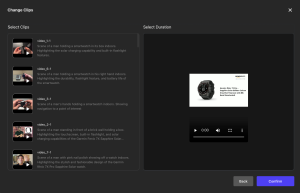
Is it possible to use an AI video editor for professional projects
There’s no need to hire a voice artist or invest in expensive studio equipment — AI video tools let you create natural-sounding and high-quality videos with text prompts. Whether you want to add a background soundtrack or subtitles, the best AI video editing software will make it easy to edit and personalize your final product. You’ll also find an array of other features that aren’t available in traditional software, including automatic color correction based on scene context, voice enhancement, and background noise removal. In addition, some AI-powered video editing apps can understand your preferences over time, making it easier to edit your videos with your preferred settings.
AI-powered video editors can also simplify the editing process, allowing you to save more time. Many of the best AI video editing apps have built-in text to speech capabilities, letting you transform written scripts into audio narration with just a few clicks. The apps also let you upload your own music or choose from a library of royalty-free tracks.
With the right AI Video Generator, you can produce professional-quality marketing and training videos 80% faster and 50% cheaper than the old-school way of making video. Gone are the days of green screens, complex tools and expensive outsourcing — with modern AI-powered video editor software, it’s easy to produce engaging and dynamic videos for any marketing or learning platform.
Creating professional-grade videos requires a significant amount of time. Assembling a rough cut, rearranging clips, removing awkward pauses and filler words can take up hours of an editor’s day. AI video editing software has a range of tools that reduce production time by automating tasks and speeding up processes. For example, with the help of Auto Compose, AI-powered video editors can automatically arrange media according to aesthetic preferences like theme and style. Users can share their preference by giving green thumbs up or red thumbs down to give feedback for the algorithm to use in arranging future footage.
Additionally, with the help of AI, editors can quickly and easily create video templates that can save a lot of time. For instance, CapCut is a free AI video editor that provides a wide selection of templates, graphics, music, and sounds that are popular on platforms like TikTok and YouTube. Additionally, the software can also automatically transcribe audio and add captions to make videos more accessible to audiences with different dialects and accents. It can also create time-lapse and slow-motion effects for a captivating visual experience. Moreover, it can also reduce background noise and improve voice clarity.
Creating videos with high-quality footage, music, and text can be time-consuming. AI tools can automate various tasks that save editors time and effort. For example, AI-powered colour grading helps to make the process faster and more accurate by eliminating errors and inconsistencies that are often made when manually adjusting colours.
Aside from speeding up the creation of videos, AI-powered video editing software also offers a range of other powerful features that can enhance your content. This includes automatic captioning, which makes it easy to create subtitles and closed captions for your videos in over 130 languages. This is a great feature for businesses that have multiple teams working on different projects, and it can help to ensure that your audience understands what is being said.
AI-powered video editing software can also take the hassle out of retouching and cleaning up video footage. For example, an AI-powered video editor with facial recognition technology can automatically detect the movement of people in footage and remove any unwanted objects or backgrounds. Lastly, AI-powered video editing software can also be used to create complex animations and other visual elements for your videos. This is particularly helpful if you’re producing a large number of videos for a brand or campaign, as it can significantly reduce the amount of time needed to go from concept to final product.